
1. Feature Overview #
Scraping API is a visual web data collection tool designed for business professionals and development teams. It encapsulates web access, content cleaning, field identification, and data extraction into ready-to-use collection templates; users do not need to write code or manually handle web structures, anti-scraping measures, or data format conversions.
Simply select the target website and collection template, enter the necessary parameters, and click “Send Request” to obtain cleaned, extracted, and structured data directly. For common scenarios such as product details or search results, the template automatically processes the page content and returns results in a predefined output structure.
Key product advantages:
- No-code usage: Configure data collection via the template marketplace, forms, and buttons—no need to write crawler scripts.
- Instant results: Initiate collection after selecting a template and entering parameters, then view results directly in the response panel.
- Automatic cleaning and extraction: The system automatically processes web content and returns structured data ready for business analysis, synchronization, or database storage.
- Dynamic web page support: Supports pages requiring JavaScript rendering, reducing the effort needed to handle asynchronously loaded content.
- Template reusability: Different business units can reuse the same template; simply update the input parameters to execute new collection tasks.
- Clear Result Structure: Each template provides input parameter rules and an output schema, making it easy to verify field meanings and ensure stable integration with downstream workflows.
The Scraping API is suitable for the following users and scenarios:
- Non-technical personnel needing to quickly retrieve web data;
- Product, operations, or analytics staff conducting one-off data research;
- Development teams needing to create scraping tasks in bulk without maintaining standalone crawlers;
- Scraping structured web data such as product details and search results;
- Scraping dynamic pages that require JavaScript rendering;
- Querying task execution status and retrieving scraping results.
2. Preparation Before Use #
2.1 Obtain API Key #
The Scraping API uses an API Key for authentication. Please create or copy your API Key from your account settings and securely store it in your server-side environment variables.
Do not hardcode the API Key in frontend code, commit it to code repositories, or expose it directly on browser pages.
2.2 Preparing the Template Code #
Each scraping template has a unique template_code. You can navigate to the “Template Marketplace” from the Scraping API page to view template details and confirm the following information:
- Template code (
template_code); - Input fields required by the template;
- Mandatory fields and field types;
- Allowed values, maximum lengths, and example values;
- Returned data structure;
- Current unit price and result retention period.
3. API Endpoint and Authentication #
Create Scraping Task #
POST {SCRAPER_API_BASE_URL}/v1/web-scraper/task/create
Here, {SCRAPER_API_BASE_URL} is the Scraping API service address configured during project deployment.
Request Headers:
Authorization: Bearer YOUR_API_KEY
Content-Type: application/json
4. Create Scraping Task #
4.1 Request Format #
{
"mode": "sync",
"template_code": "amazon_product",
"input": {
"url": "https://www.example.com/product/123"
}
}
| Field | Type | Required | Description |
|---|---|---|---|
mode | string | Yes | Task mode. Currently supports sync and async. Page debugging defaults to sync. |
template_code | string | Yes | Collection template code. Must use a template that exists and is available in the Template Marketplace. |
input | object | Yes | Template input parameters. Field names and validation rules must comply with the input parameter specifications found in the template details. |
4.2 Synchronous Tasks #
Synchronous tasks are suitable for scenarios where you need to wait for the scraping process to complete and retrieve the results within a single request:
curl -X POST "{SCRAPER_API_BASE_URL}/v1/web-scraper/task/create" \
-H "Content-Type: application/json" \
-H "Authorization: Bearer YOUR_API_KEY" \
-d '{
"mode": "sync",
"template_code": "amazon_product",
"input": {
"url": "https://www.example.com/product/123"
}
}'
4.3 Asynchronous Tasks #
Asynchronous tasks are suitable for scenarios involving long execution times, batch submissions, or cases where you do not want to block the current request:
{
"mode": "async",
"template_code": "amazon_product",
"input": {
"url": "https://www.example.com/product/123"
}
}
After successful creation, please save the returned task_id; you will use it to query the execution status via the task details endpoint.
5. Request example #
Python #
import os

import requests


base_url = os.environ["SCRAPER_API_BASE_URL"]
api_key = os.environ["SCRAPER_API_KEY"]

response = requests.post(
f"{base_url}/v1/web-scraper/task/create",
headers={
"Authorization": f"Bearer {api_key}",
"Content-Type": "application/json",
},
json={
"mode": "sync",
"template_code": "amazon_product",
"input": {
"url": "https://www.example.com/product/123",
},
},
timeout=120,
)
response.raise_for_status()
print(response.json())
JavaScript #
const response = await fetch(
`${process.env.SCRAPER_API_BASE_URL}/v1/web-scraper/task/create`,
{
method: 'POST',
headers: {
Authorization: `Bearer ${process.env.SCRAPER_API_KEY}`,
'Content-Type': 'application/json',
},
body: JSON.stringify({
mode: 'sync',
template_code: 'amazon_product',
input: {
url: 'https://www.example.com/product/123',
},
}),
},
);

const result = await response.json();
console.log(result);
6. Response Format #
All Scraping API responses use a unified outer structure:
{
"code": 0,
"data": {
"task_id": "task_123",
"template_code": "amazon_product",
"mode": "sync",
"status": "succeeded",
"result_status": "available",
"result": {
"title": "Sample Product",
"price": "19.99"
},
"result_url": null,
"created_at": 1720000000,
"completed_at": 1720000005,
"result_expires_at": 1720086400,
"error": null
},
"message": "success"
}
Top-level Fields #
| Field | Type | Description |
|---|---|---|
code | number | Business status code. 0 indicates a successful request. |
data | object/null | Task or template data returned upon a successful request; may be null on failure. |
message | string | Informational message returned by the server. |
Task Fields #
| Field | Type | Description |
|---|---|---|
task_id | string | Unique task ID. |
template_code | string | Template code used for this task. |
mode | string | sync or async. |
status | string | queued, running, succeeded, or failed. |
result_status | string | not_ready, available, expired, or unavailable. |
result | object/array/null | Task result. The result structure is determined by the template’s output schema. |
result_url | string/null | Result download URL. Some tasks provide results via this URL. |
result_expires_at | number/null | Result expiration time (Unix timestamp). |
error | object/null | Error information upon failure, containing code and message. |
7. Query Asynchronous Task #
GET {SCRAPER_API_BASE_URL}/v1/web-scraper/task/detail?task_id=TASK_ID
Authorization: Bearer YOUR_API_KEY
Example:
curl "{SCRAPER_API_BASE_URL}/v1/web-scraper/task/detail?task_id=task_123" \
-H "Authorization: Bearer YOUR_API_KEY"
Recommended handling based on task status:
| Status | Handling Method |
|---|---|
queued | Task created; waiting for execution. |
running | Task in progress; retry the query later. |
succeeded | Task completed; prioritize reading result, and request result_url only if necessary. |
failed | Read error.code and error.message; retry or adjust template parameters based on the error cause. |
8. Retrieving and Retaining Results #
When a task returns a result, you can use that field directly; if result is empty but a result_url is returned, please make a request to that URL to retrieve the result.
The result is valid only for the retention period specified in the template details. If result_status is expired, you must create a new task; do not continue to request the expired result URL.
9. Web Interface Usage Workflow #
You can use the service via the Web console by following these steps:
- Open the Scraping API page.
- Search for or select the target site template in the “Template Marketplace.”
- Go to “Scraping Debug” and enter the required parameters for the template.
- Verify the generated
template_codeandinputin the “Request” panel. - Click “Send Request” and view the results in the “Response” panel.
- If server-side integration is required, switch between Shell, Python, JavaScript, PHP, Go, or Java examples in the request panel and copy the code.
- View historical tasks and result statuses in the “Task List.”
Page Screenshots #
The screenshots below show the key pages, ranging from template selection to viewing tasks and usage statistics.
The templates, prices, task logs, and statistics shown in the screenshots are for illustrative purposes only; actual content depends on your current account and the information displayed on the page.Start Scraping
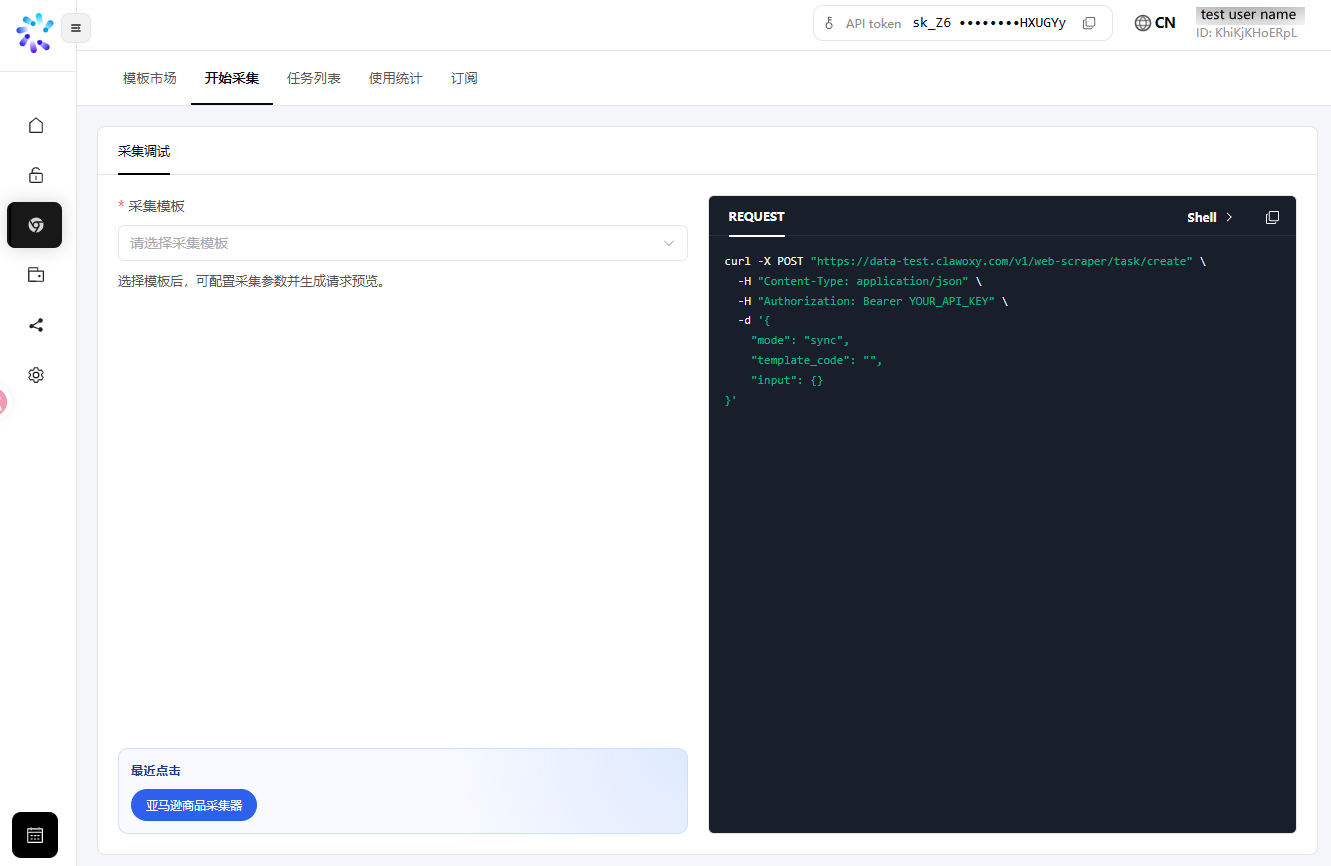
Upon entering the “Start Scraping” section, you can select a scraping template; a request example generated based on your current configuration will be displayed on the right side of the page.
Template Marketplace
In the Template Marketplace, you can filter and search for templates by site, as well as view usage counts and pricing information.
Scraping Debugging
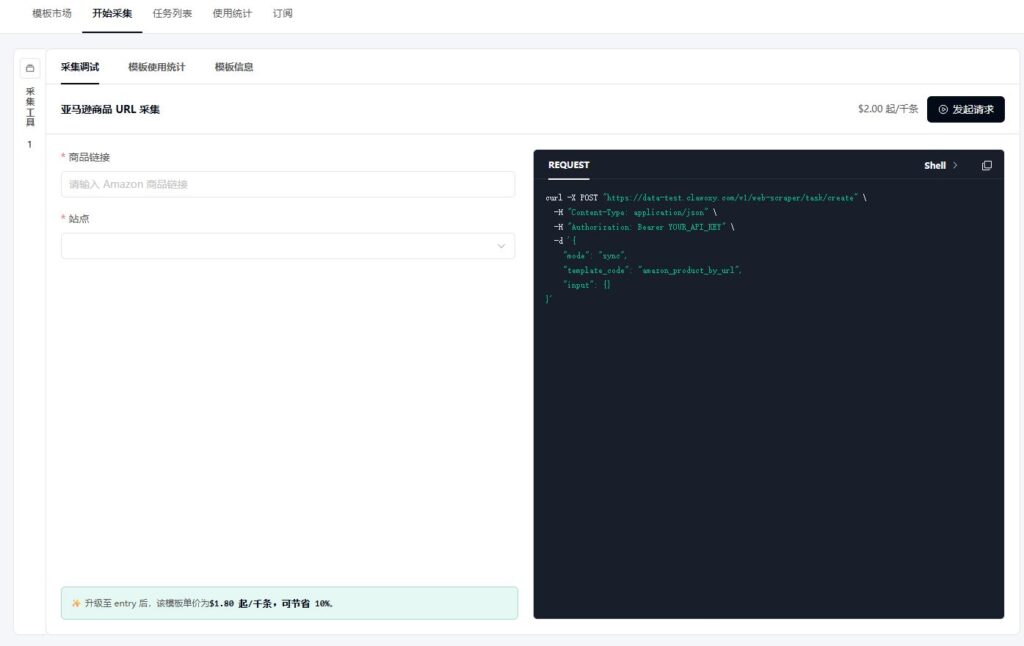
After selecting a template, enter the required parameters on the left; a request preview will be generated in real-time on the right. Once you have confirmed the parameters, click “Send Request” to view the scraping results.
Task List
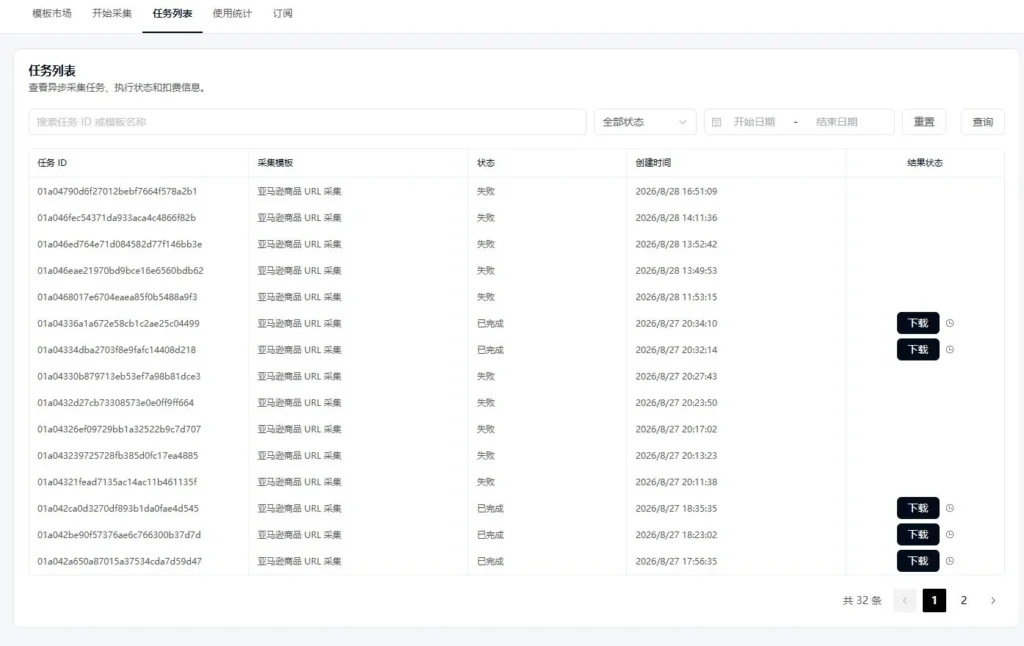
The task list allows you to view details of past tasks, including Task ID, template, execution status, creation time, and result status. Results can be downloaded for successful tasks.
Usage Statistics
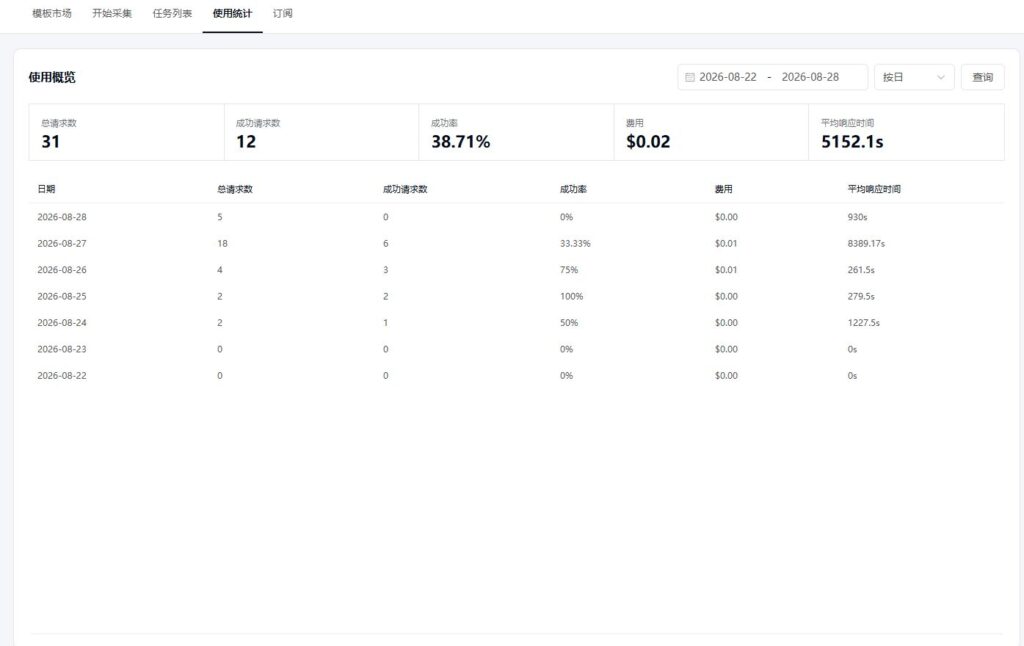
Usage statistics allow you to view metrics—such as request count, success count, success rate, cost, and average response time—filtered by date range and statistical dimension.
10. Billing and Important Notes #
- Pricing varies by template; please refer to the current unit price listed in the template details.
- Ensure your account balance or plan quota is sufficient before initiating a request.
- Tasks will not execute correctly if mandatory fields are missing; please fill in the input parameters according to the template’s specifications.
- Fields within the
inputobject must use the specific field names defined by the template; do not reuse parameters from other templates. - API keys should only be used on the server side; it is recommended to inject them via environment variables or a secret management service.
- Please manage polling frequency reasonably; query the status of asynchronous tasks only when they are in the
queuedorrunningstate. - Do not continue using the
result_urlafter the result has expired; please resubmit the task if expiration occurs.


